by
by If you want to know the survey number of a land you want to buy or the land you have, check out how to find survey number by online. All you need is a smart phone only, but you don’t need any other land details. The land survey number can be get from the sale deed. If you are unable to do so , here is another option. In the meanwhile, you can get the land survey number from the municipality authority or the land revenue office. Check out how to get it by online.
1. First you have to be inside the land which you want to know survey number, then open the application ” google map”.
2. Then hold and press above your location (marked in blue color).
3. Now you will get the latitude and longitude of your location or land you are standing.

4. Copy the latitude and longitude for further use.
5. Now open google and search as “Bhuvan”.
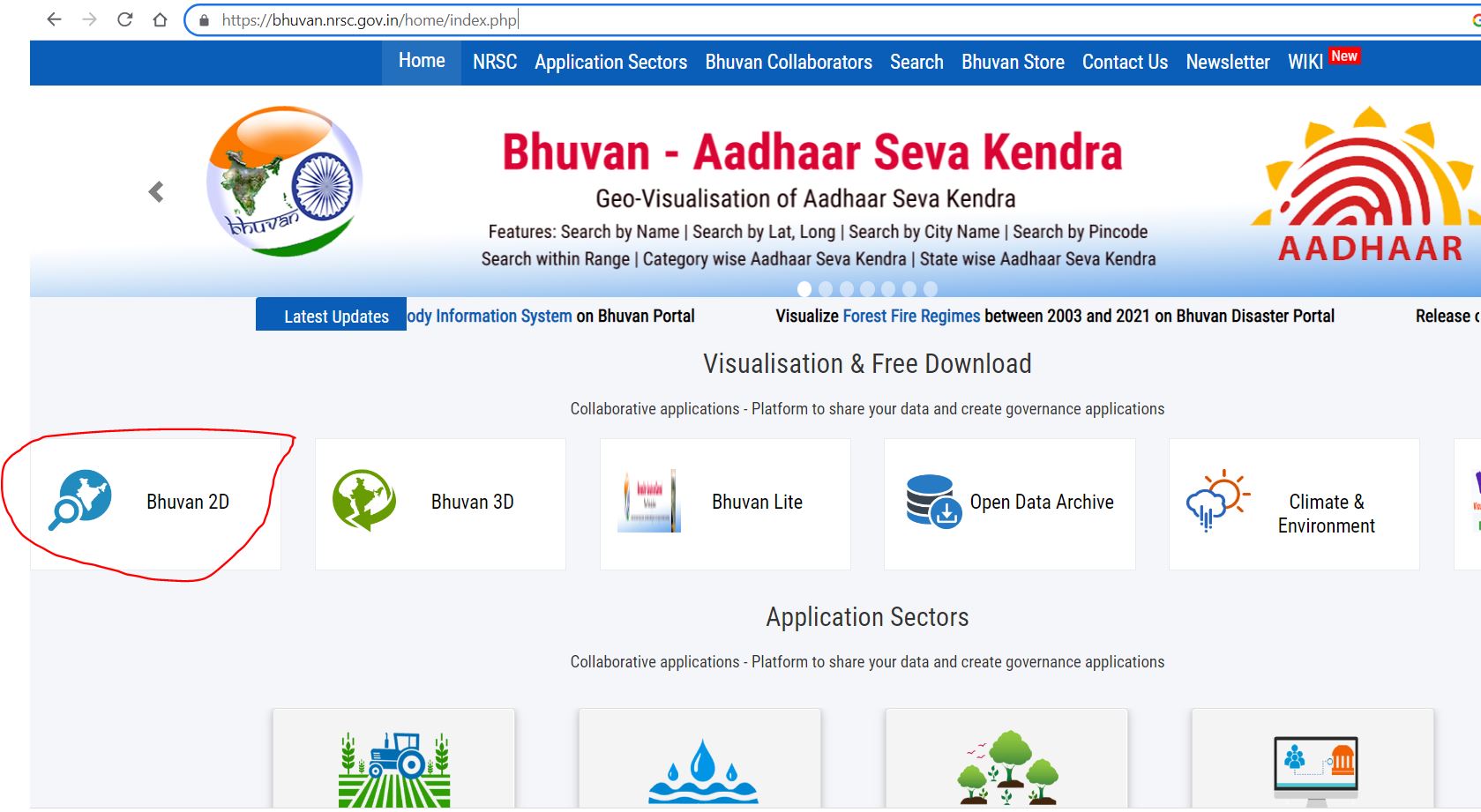
6. Open the website “Bhuvan NRSC” (https://bhuvan.nrsc.gov.in/).
7. Then select the option “Bhuvan 2D “.
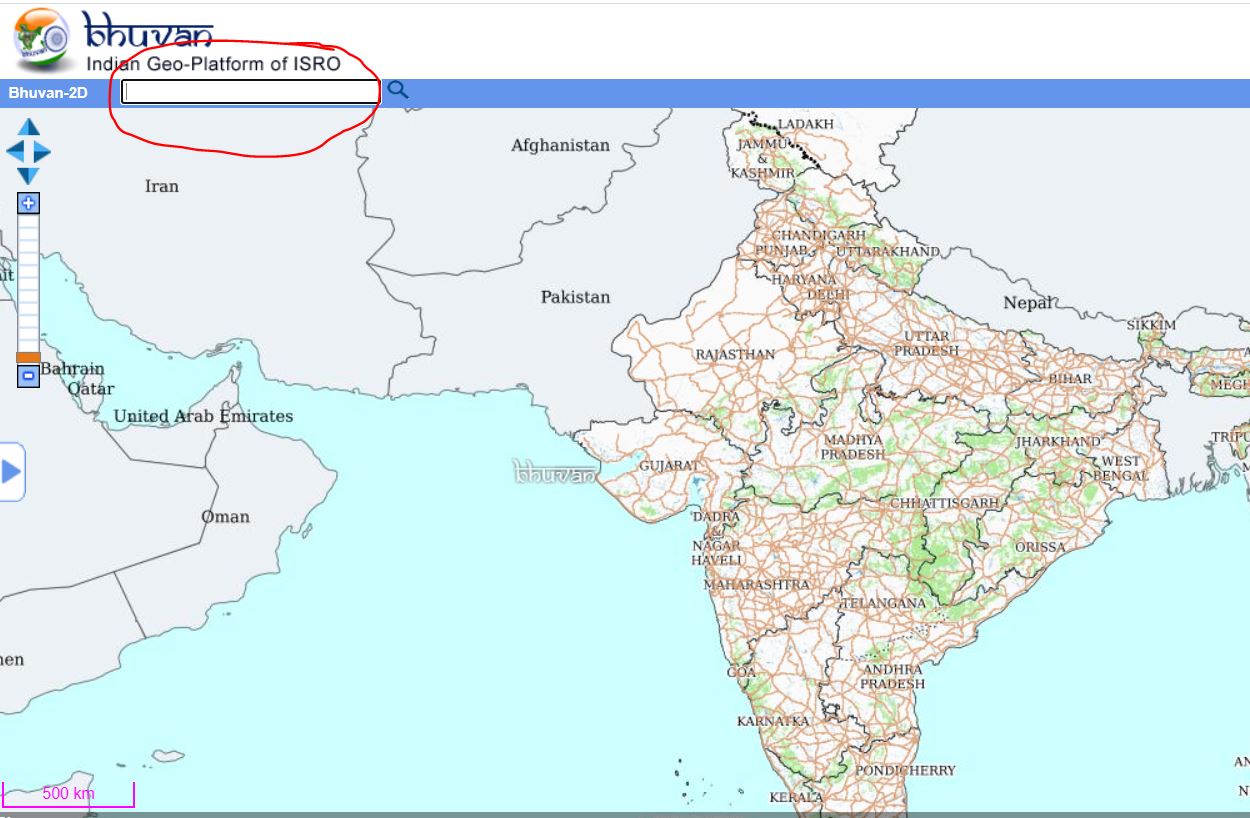
Enter the latitude and longitude of your location (get earlier) in the space shown top of the page (as given below).Then click the search button.
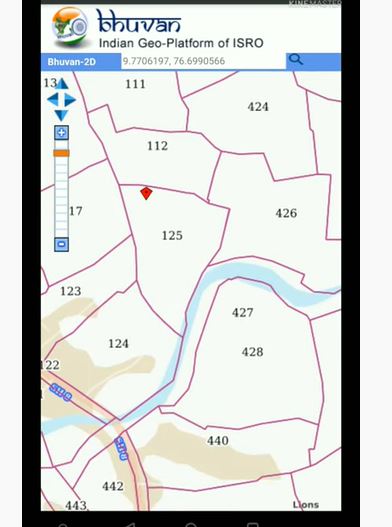
Now you can see the your location or the location regarding the latitude and longitude you enter. When zoom in, you can see marked as different portion with a number. The number along your location is your survey number (as given in below image).