by
by Under the Pradhan Mantri Kisan Samman Nidhi (PM-KISAN) , a central government scheme, farmers get ₹6,000 per year. Those receiving this amount in 3 instalments will have to update the details of the agricultural land on the official portal of AIMS and get the online land verification done. Those who are not registered in this way may be denied the benefit in the future. Here’s how those who want to register can do it online, even via mobile. It will be useful for those who do not have time to go to janseva kendras for this. please follow the given below paragraphs for more details.
How To do land verification by Online?
Step 1 : Go the official website of AIMS ( www.aims.kerala.gov.in )
Step 2 : Select “Farmer login” option available at top of home page.
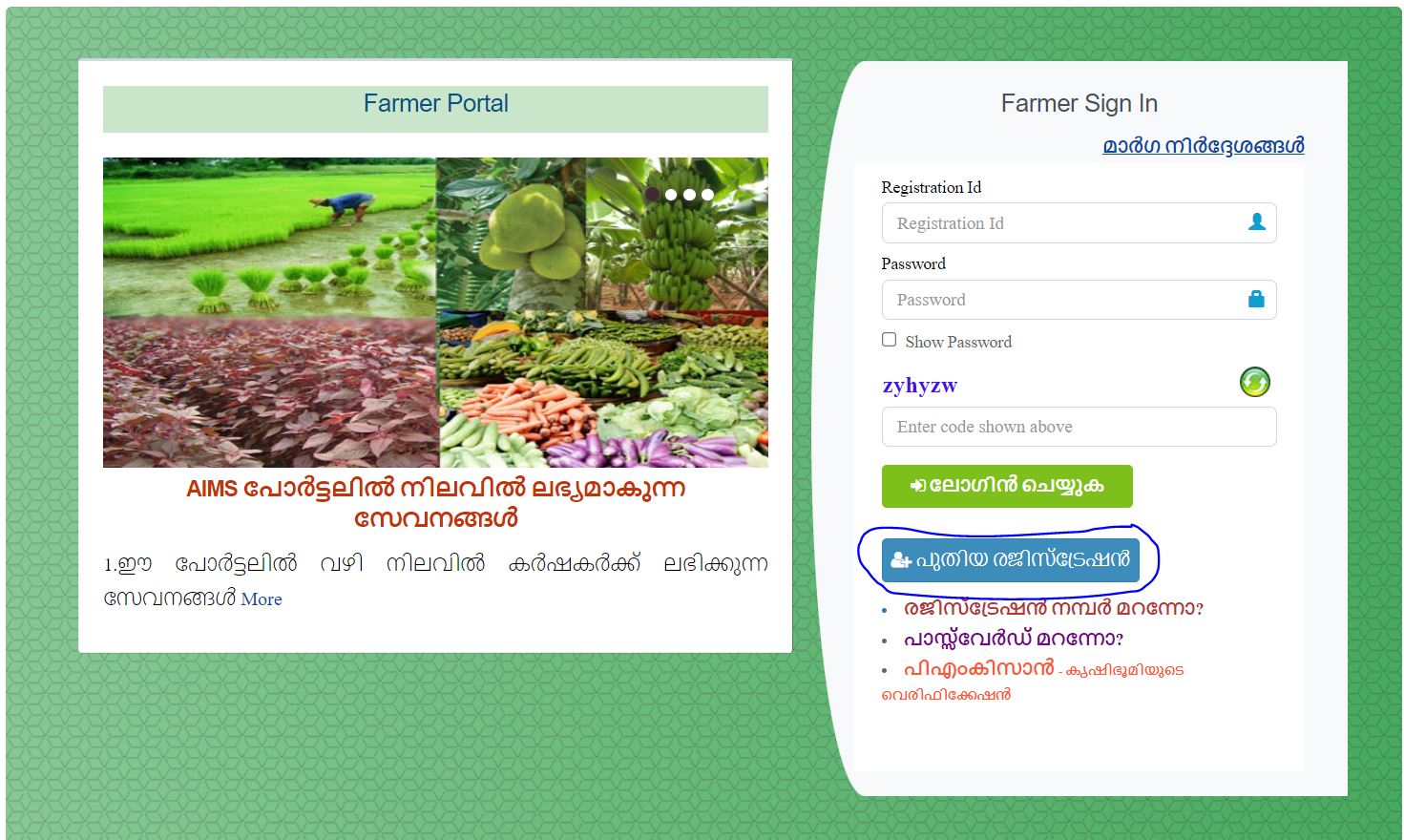
Step3 : If not registered, click as given in below image for new registration.
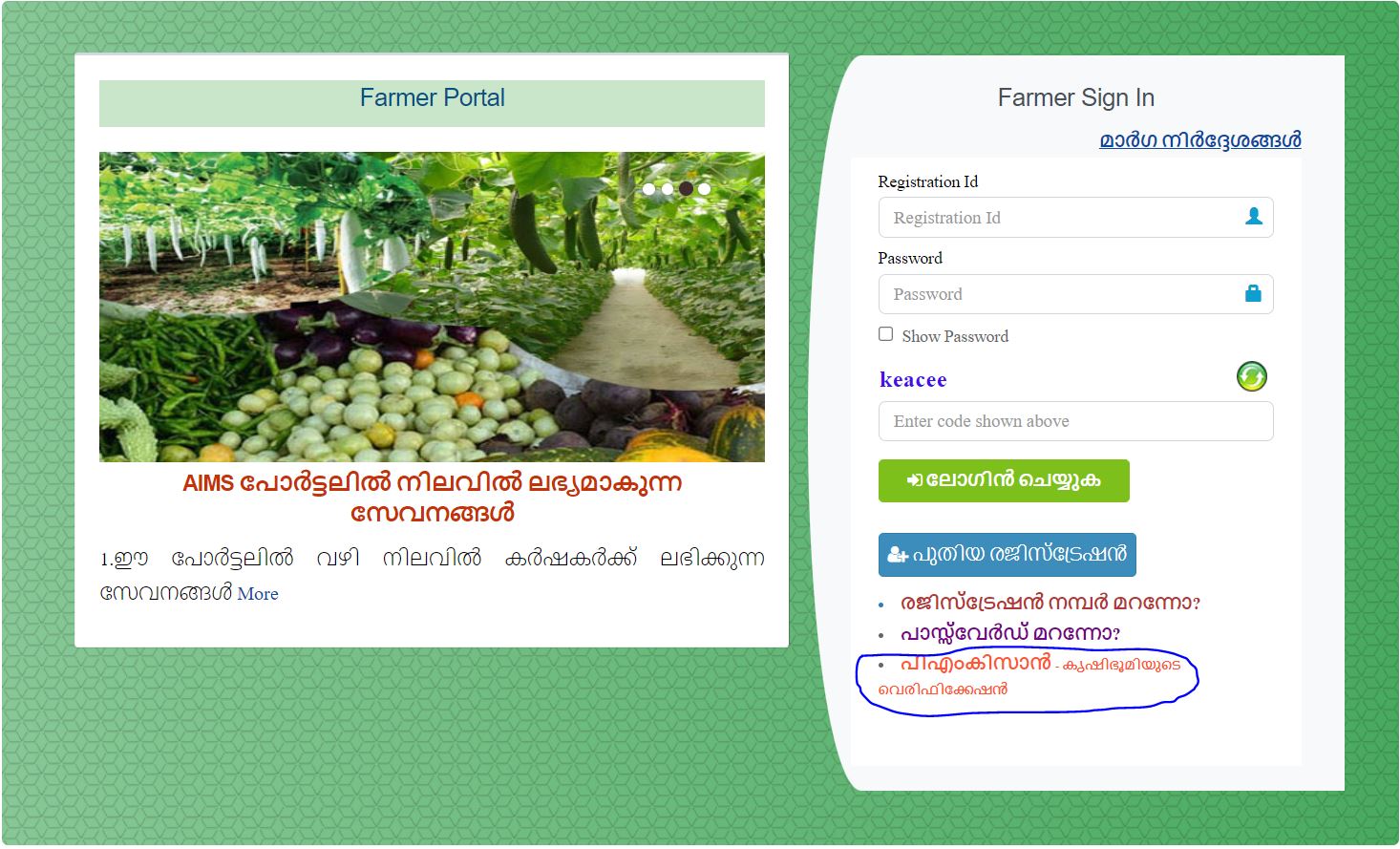
Step 4 : Click above the link ” PM kissan verification “(as given in below image)
Step 5 : Now enter the Aadhaar number and click Submit button.
Step 6 : Click “send OTP ” if the shown mobile number is correct. If the given number is not correct, click the link given next to change password and mobile number.
Step 7 : Enter the OTP and click submit button.
Step 8 : Now select the option “Click here to add/edit land details” available in redirected page.
Step 9 : Now click above ” Add land via Tax receipt No. ” (only if the tax receipt number paid by online).
Step10 : Now fill the required details and click the option “Add land”
Step 11: Now your land details has been updated in portal. Now click along the ” PM kissan Land verification ” .
Step 12 : Enter the aadhar number and Click search button.
Step 13 : Click along ” verify land details with revenue records”. Then submit.
After the process, you can view application number and application status. After verification there shown as the application verified. In this way you can verify the land details online.
Click here to verify the land details